Accelerated Framing Takeoff
Alkali’s Beam Scanner quickly turns structural sheets into auditable steel takeoffs.
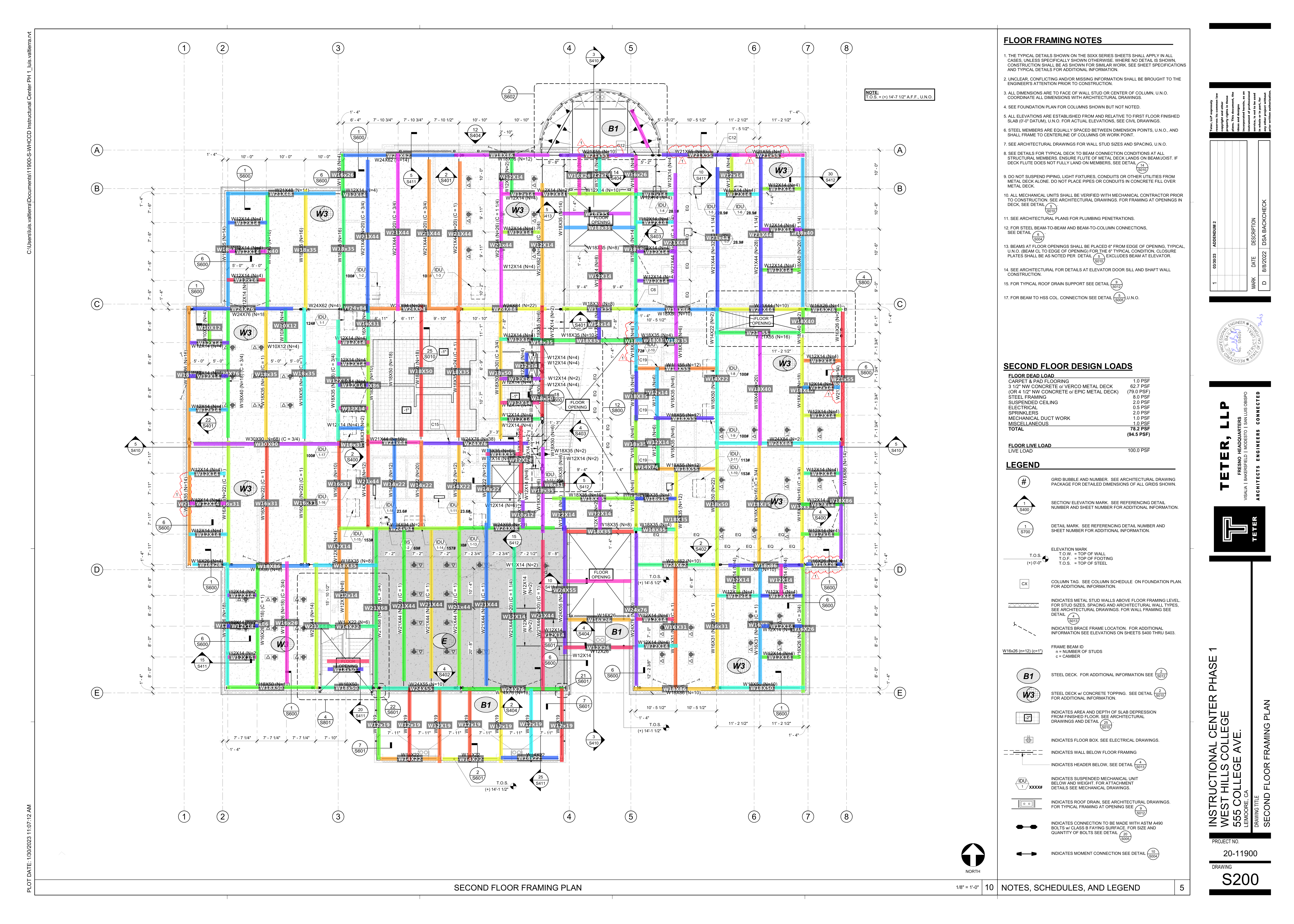
(image from a separate internal plan set)
Pick Up Sticks
It's scary to imagine quoting a project, and a few days later, you find material scope you forgot to include. So you double check, triple check, and cross-reference with your partner, if you have one.
Counting the beams is tedious, but important work. Find all the beams in scope, even the small ones, across hundreds of pages. And make sure you get their lengths and weights right.
When you find them, notation may leave us a bit confused (or annoyed!), or require cross-referencing architectural diagrams, elevation plans, or obscure page notes.
At Alkali, we've carefully studied 100s of past projects, and built a model to automatically do beam takeoff.
Alkali’s Beam Scanner
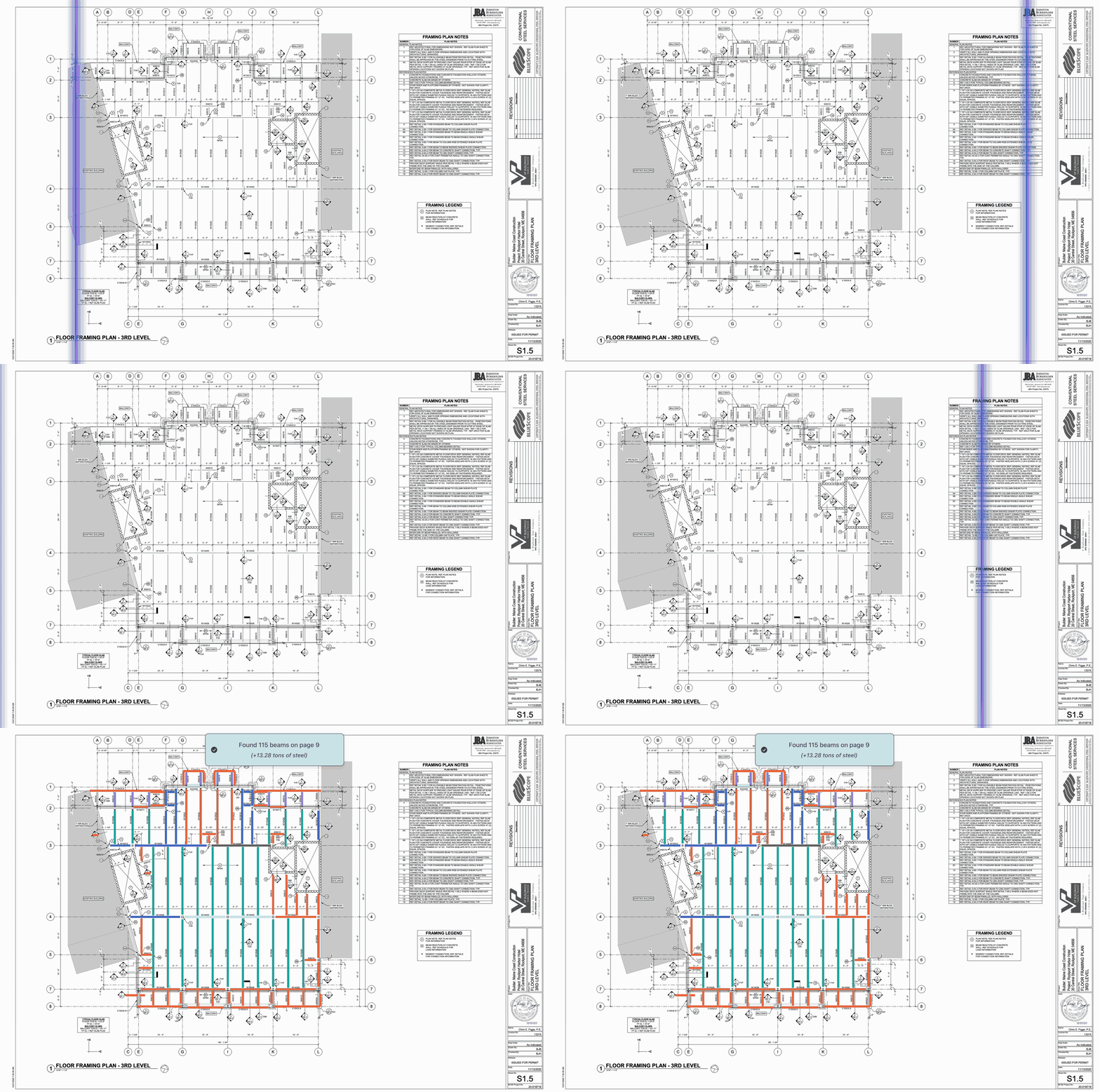
Alkali’s Beam Scanner is an automated way to count and measure the steel beams in structural framing plans.
Just upload a PDF here, select the right-hand side
Beams  tab, then click
Scan
tab, then click
Scan  . Alkali uses computer vision to detect members with their sizes and beam type (i.e. W12x26, HSS6x6x1/2, etc).
Speed: Alkali returns results in ~30 seconds or less, with first data arriving in <10 seconds.
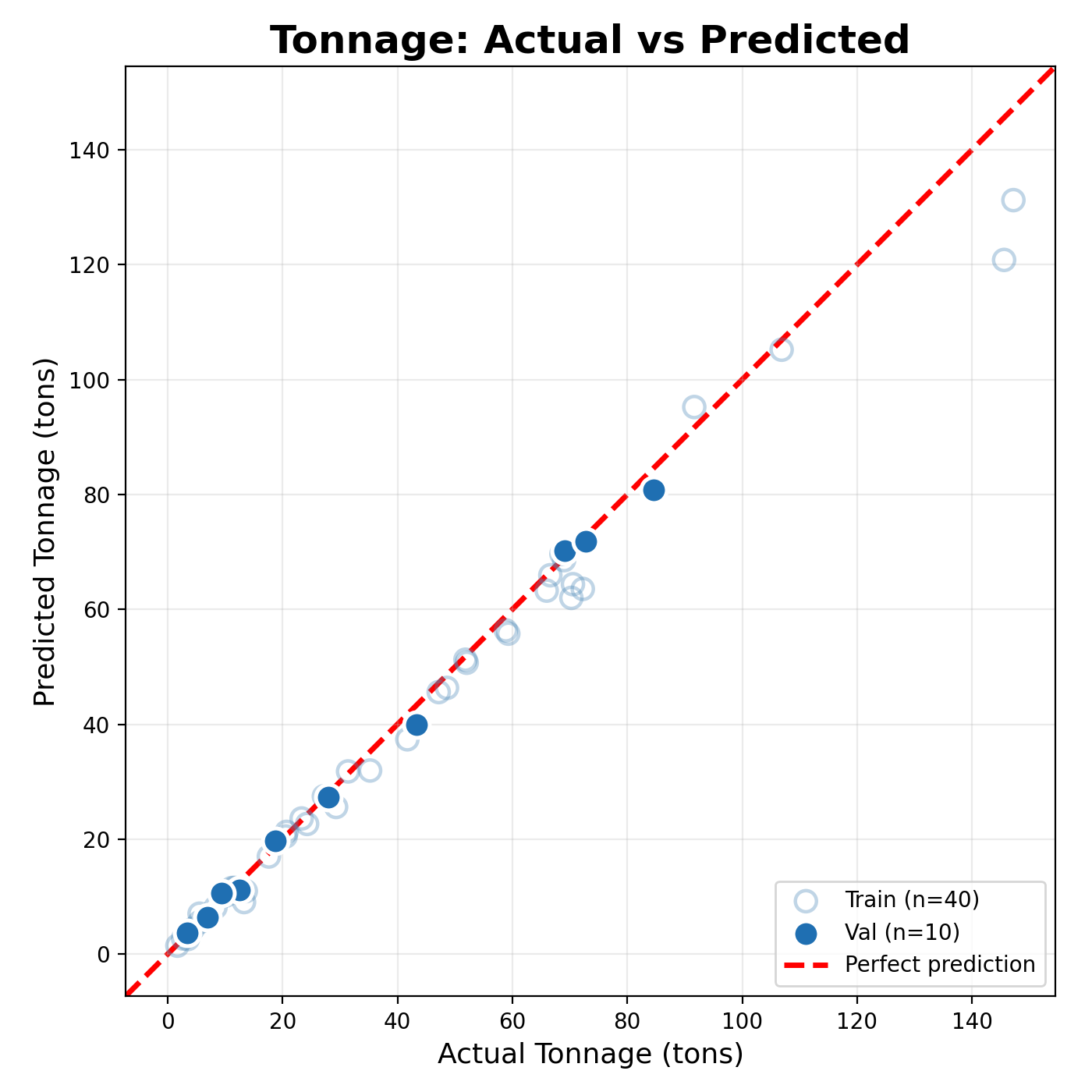
Scale: Check out the statistical results below, showing the scanner performing on 50 projects. Per-page steel quantities range from as small as ~1 ton per sheet, all the way to ~150 tons per sheet.
Alkali Platform
Alkali builds software to make estimation more accurate and faster.
Alongside the Beam Scanner, you'll find other helpful features including (1) real-time collaboration, (2) autopopulated steel assemblies, and (3) AI chat for search and detail understanding.
Reach out to founders@alkali-eng.com to learn more, or try the demo free here.